




Pitch Deck Templates
Presentation Templates
Presentation Design Services
Need a Custom Pitch Deck ?


© 2026 SlidesBrain. Powered by SlidesBrain.
Shopping Cart
Potential investors and executive boards are not going to sit and read a wall of bullet points. What they’re instead looking for is product market fit paired with the operational and economic structures of your company.
To better help investors understand your company, modern pitch decks include Canvas Models and Problem-Solution Frameworks. By organizing strategy into clear visual blocks, you make your core message easy to digest for human stakeholders and simple for modern search engines to summarize.
Here is a look at our top 5 presentation bundles on SlidesBrain, designed to help founders, consultants, and strategists pitch with confidence.
Bundle Name | Main Focus | Ideal For | Key Framework Included |
1. Business Model Canvas Deck | Complete 9-block enterprise breakdown | Seed/Series A startups & corporate planning | Osterwalder Business Model Canvas |
2. Problem-Solution Fit Bundle | Market validation & customer pain points | Pre-seed startups & early product launches | Pain & Solution Mapping Matrix |
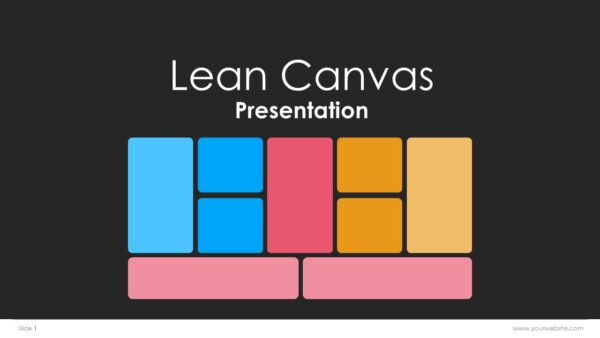
3. Lean Canvas & Agile Deck | Rapid iteration & unit economics | SaaS founders & fast-moving tech teams | Ash Maurya’s Lean Canvas |
4. Root Cause Analysis Bundle | Deep analytical problem-solving | Management consultants & enterprise leads | 5 Whys & Fishbone Diagram |
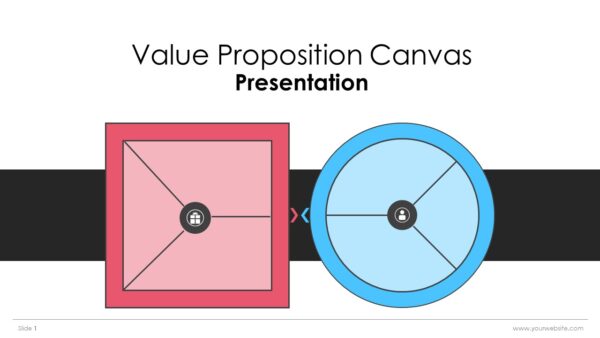
5. Value Proposition Canvas Bundle | Aligning features with customer pain points | Product managers & GTM teams | Value Proposition Matrix |
No matter what stage of your business you’re at — whether just getting started or running a rough draft of a business plan in front of serious investors — frameworks and structural slides will help you build out your business strategy. SlidesBrain’s Top 5 Canvas Model & Problem-Solution Slide Bundles condense the top tools that today’s entrepreneurs and business strategists use on a daily basis. Their bundles will get you started with some basics like Lean or Classic Business Model Canvas, and then dive deep into problem and solution fit, as well as value proposition and root cause analyses. SlidesBrain’s presentation channels take the guesswork out of strategic planning and outlining all the steps to help you communicate prospective client problems, assess market needs, and present your growth strategy to potential stakeholders and investors.
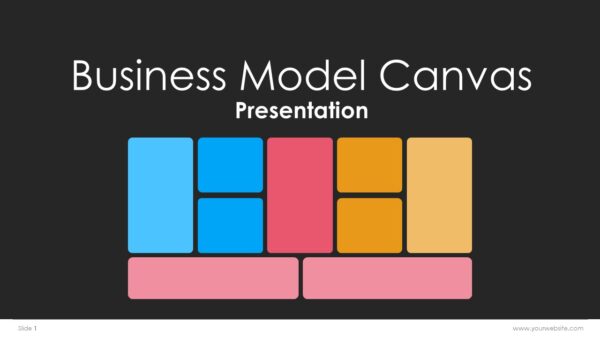
A Business Model Canvas (BMC) is a visual, single-page, strategy design framework used to document and test an entire business model. Created by Alexander Osterwalder, the BMC simplifies and simplifies the strategy planning of a business by breaking the framework into nine interconnected blocks. These nine blocks include the building blocks of a business’s infrastructure, its value proposition, customers, and whether the business will be financially viable.
The primary goal of a BMC is to illustrate in a clear and visual manner how a business operates to create, deliver, and capture value. Once a foundational gap is identified, pivot(s) can be undertaken quickly and resources can be optimally allocated. Alignment and collaboration will be enhanced with the unification of purpose and vision.
More relevant than ever before. Given the rapid, advanced nature of the AI, SaaS and e-commerce sectors, the length of time it will take to develop a traditional, 30-page business plan will be obsolete. A BMC is ideal for startups or for businesses that demand flexibility. iterative, and execution of strategies in real time over comprehensive, rigid documentation.
While slides within a presentation may break a business into many pages, a canvas model can bring all of the areas of a business together into one screen. Additionally, a canvas model provides three distinct advantages over a presentation.
To Pitch or Present using a canvas model:
There is a logical order to fill out or present a BMC. Use the following order to construct your canvas:
If you want to build an attractive presentation without wasting time on draft work, take a look at our pre-drafted Business Model Canvas Templates, designed for PowerPoint and Google Slides. We’ve prepared these ready templates using our engaging layouts and color themes in design grids that make it easier to present your strategies.
© 2026 SlidesBrain. Powered by SlidesBrain.
We noticed you're visiting from Canada. We've updated our prices to Canadian dollar for your shopping convenience. Use United States (US) dollar instead. Dismiss