
What is the best website for Google Slides templates?
Google Slides has become the default tool for students, startups, and business teams. It is free, it works in the browser, and it lets people collaborate in real time. But a blank Google Slides file is not exciting. Most people do not open Google Slides to design from scratch. They open it to find a template, add their content, and move on with their day.
That is where the question comes in. With so many template sites online, which one is actually worth your time? Type “best website for Google Slides templates” into any search engine and you will get dozens of results, all claiming to be the top choice. Some are cluttered with ads. Some push you toward a paid plan before you even see a preview. Others simply have not updated their designs in years.
This guide breaks down the top websites for Google Slides templates, what to look for before you download anything, and why SlidesBrain has become a go-to option for people who want professional slides without the hassle.
Why the Right Template Website Matters?
Not every template site is built the same way. Some focus on volume and flood you with thousands of generic designs. Others focus on aesthetics but ignore usability, so the layouts fall apart the moment you add your own text. A good template website should save you time, not create new problems.
Before you download a template, check for a few things. Is it actually editable in Google Slides, or does it only work well in PowerPoint? Does the file open cleanly, with fonts and colors intact? Is the license clear enough for you to use the design in a school project, a client pitch, or a business report? These questions matter more than how a preview image looks on a search results page.
Time is the other factor. Presentations usually get put together at the last minute, right before a class deadline or a client meeting. A template site that makes you dig through broken links, watermark-heavy previews, or a confusing checkout process ends up costing you more time than starting from a blank slide. The right site gets you from search to a working presentation in a few clicks.
Top Websites for Google Slides Templates
Here is an honest look at the platforms people search for most, and where each one fits.
SlidesBrain
SlidesBrain offers a large library of free and premium Google Slides themes and PowerPoint templates built for business, startup, education, and marketing use. Templates are organized by color, style, and category, so it is easy to find a design that fits your brand instead of scrolling endlessly.
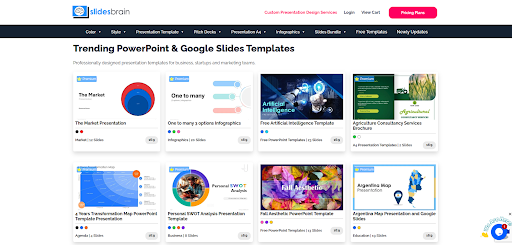
Every template is fully editable, works in both Google Slides and PowerPoint, and comes with clean layouts that do not break when you add your own content. The catalog covers everyday needs like business decks and reports, along with more specific categories such as pitch decks, infographics, A4 presentation formats, and slide bundles you can mix into an existing deck.
Slidesgo
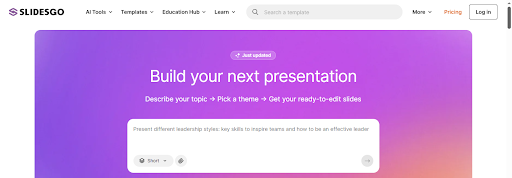
Slidesgo has a huge catalog and covers almost every topic imaginable, from classroom lessons to corporate reports. The free tier is generous, but the best designs and AI features usually sit behind a paid plan.
SlidesCarnival
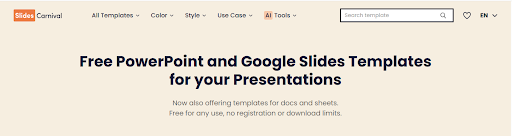
SlidesCarnival is popular for its minimal, artistic themes. It is entirely free, which makes it a favorite among students, but the library is smaller and updated less often than paid platforms.
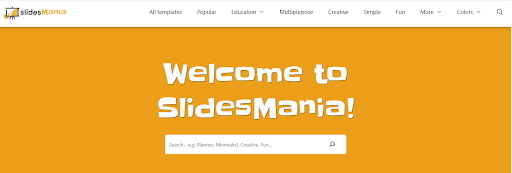
SlidesMania
SlidesMania leans into creative, education-friendly layouts. Teachers and course creators tend to like it, though business users may find the style too playful for formal presentations.
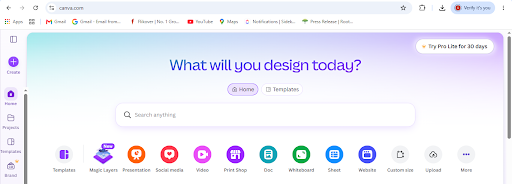
Canva
Canva is technically a design tool rather than a template repository, but it offers thousands of presentation templates with drag-and-drop editing. It is beginner-friendly, though exporting a polished Google Slides file sometimes takes extra steps.
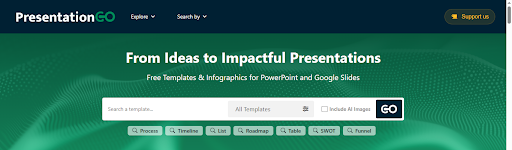
PresentationGO
This platform is specializing in diagrams, charts, and process visuals rather than full themed decks. PresentationGo Google Slides are useful add-ons for a presentation, but not a complete solution on their own.
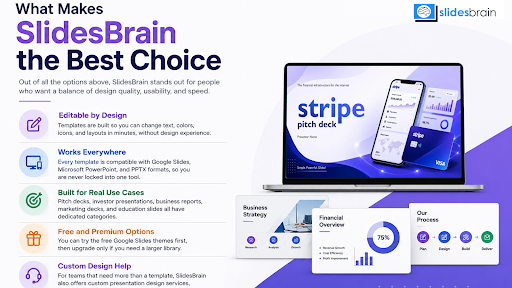
What Makes SlidesBrain the Best Choice
Out of all the options above, SlidesBrain stands out for people who want a balance of design quality, usability, and speed. Here is why.
- Editable by Design: Templates are built so you can change text, colors, icons, and layouts in minutes, without design experience.
- Works Everywhere: Every template is compatible with Google Slides, Microsoft PowerPoint, and PPTX formats, so you are never locked into one tool.
- Built for Real Use Cases: Pitch decks, investor presentations, business reports, marketing decks, and education slides all have dedicated categories.
- Free and Premium Options: You can try the free Google Slides themes first, then upgrade only if you need a larger library.
- Custom Design Help: For teams that need more than a template, SlidesBrain also offers custom presentation design services, including pitch decks and investor decks.
If you want to see the range for yourself, browse the best Google Slides templates on SlidesBrain and pick a design that matches your project.
How to Choose the Right Template Website for You?
The best website depends on what you are building. A few quick rules make the decision easier.
- For business presentations and investor decks, choose a site with clean, professional layouts, like SlidesBrain.
- For classroom projects, look for playful, colorful designs that are still easy to edit.
- For quick, one-off slides, a free-only site is fine. For recurring or client work, a platform with premium quality and support is worth it.
- Always test the template with your own content before you commit. A design that looks great empty can look very different once your text and images go in.
Common Mistakes People Make When Downloading Templates
A lot of frustration with template websites comes down to a few avoidable mistakes. Knowing them ahead of time saves you from redoing work later.
- Downloading in the wrong format: some templates are built only for PowerPoint and lose formatting when opened in Google Slides. Check compatibility before you commit.
- Ignoring the license: free does not always mean free for commercial use. Read the terms before you use a template for client or business work.
- Choosing style over structure: a template can look beautiful in the preview and still be hard to edit if the slide layouts are not built cleanly underneath.
- Not checking slide count: some free templates only include a handful of slides, which means extra work to build out a full deck. Look for a template with enough layouts for your content.
Final Thoughts
There is no shortage of websites offering Google Slides templates, but not all of them make your job easier. Some trade quality for volume. Others look good but break the moment you add real content. If you want a website that gives you professional, editable, ready-to-use templates without wasting your time, SlidesBrain is worth starting with. Browse the library, pick a design that fits your project, and turn a blank slide into a presentation you are proud to share.
Frequently Asked Questions
Question: What is the best website for Google Slides templates?
Answer: SlidesBrain is one of the best options because it combines professional design, easy editing, and full compatibility with Google Slides and PowerPoint. It also offers both free and premium templates, so you can start at no cost and upgrade later.
Question: Are Google Slides templates from these sites free to use?
Answer: Many sites, including SlidesBrain, offer free templates alongside premium ones. Free templates are usually fine for personal or school use. For business or client work, check the license terms before publishing.
Question: Can I edit a downloaded template directly in Google Slides?
Answer: Yes. Most quality templates open directly in Google Slides or can be uploaded and converted from PowerPoint format. Once open, you can change text, colors, images, and layouts freely.
Question: Do template websites work for both students and businesses?
Answer: Yes. Platforms like SlidesBrain organize templates by category, so students can find education-friendly designs while business users can go straight to pitch decks, reports, and corporate layouts.
Question: How do I know if a template site is trustworthy?
Answer: Look for clear previews, a straightforward download or checkout process, and templates that are actually organized by category. Sites like SlidesBrain make it easy to browse by style, color, and use case, so you know exactly what you are getting before you download anything.

