
5 Top Free PowerPoint and Google Slides Templates for Education by Slidesbrain
Teachers, professors, and students all end up doing the same last-minute scramble the night before a presentation is due: opening a blank slide and staring at it. A good template solves that problem in minutes instead of hours, but the education template space is crowded, and not every free option is actually built for classroom use. Some are dense business decks with a school stock photo swapped in. Others are genuinely designed around how lessons, lectures, and student projects actually get presented.
This guide covers what to actually look for in a free education template, the best categories for different classroom needs, and where to find templates that will not fall apart the moment you add your own content.
What Makes a Template Actually Good for Education?
Not every visually nice template works well in a classroom. A few things separate a genuinely useful education template from one that just looks good in a preview thumbnail.
- Readable from the back of a room, meaning large font sizes and high contrast by default
- Enough content slide variety for a full lesson, not just a title slide and one generic bullet layout
- Built-in structure for common academic formats, such as agenda slides, timeline layouts, and comparison charts
- Editable in both PowerPoint and Google Slides, since schools and universities are split fairly evenly between the two
- Neutral or subject-flexible design, so the same template can carry a history lecture, a science fair project, or a book report without looking mismatched
Best Free Template Categories for Teachers
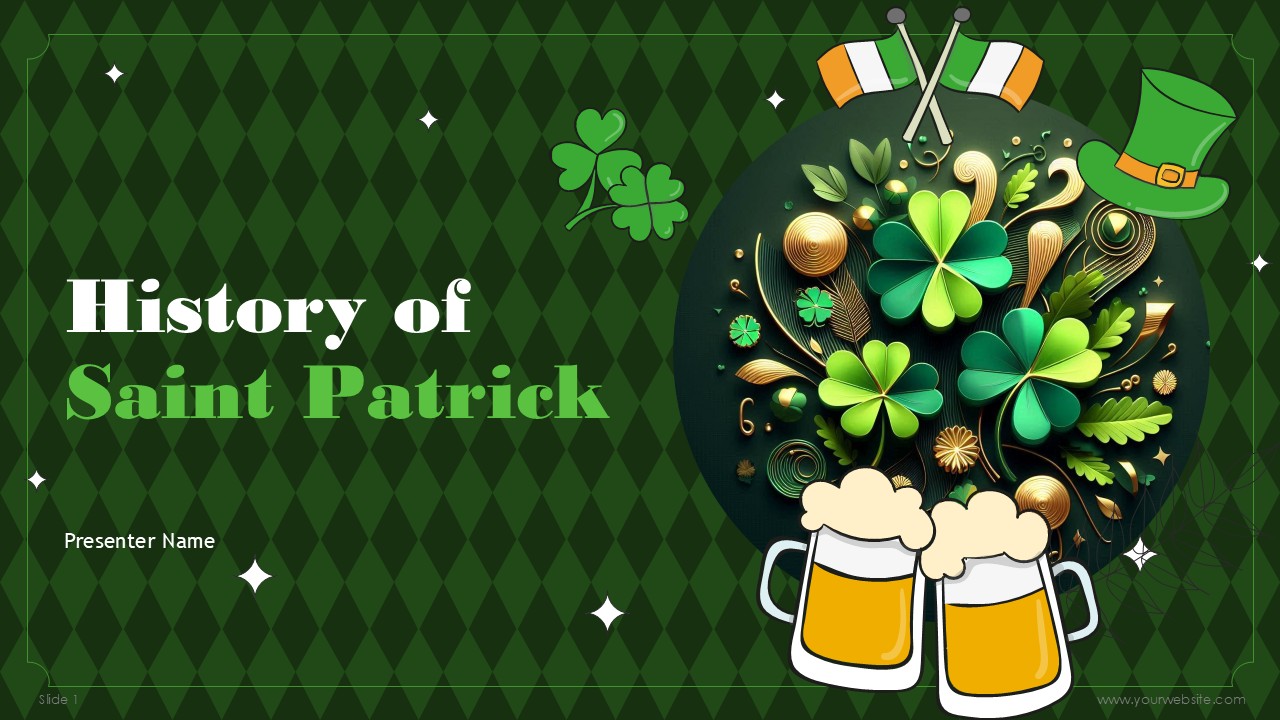
Featuring 20 fully editable slides in a festive green, black, and yellow color scheme, the History of Saint Patrick Presentation template combines modern shapes with playful doodles. Compatible with PowerPoint and Google Slides, this free template is tailored for classroom lessons, cultural presentations, and holiday event organizers. It offers a clean, creative framework to cover Saint Patrick’s life, Irish history, and cultural traditions, helping educators and event hosts deliver memorable, engaging presentations.
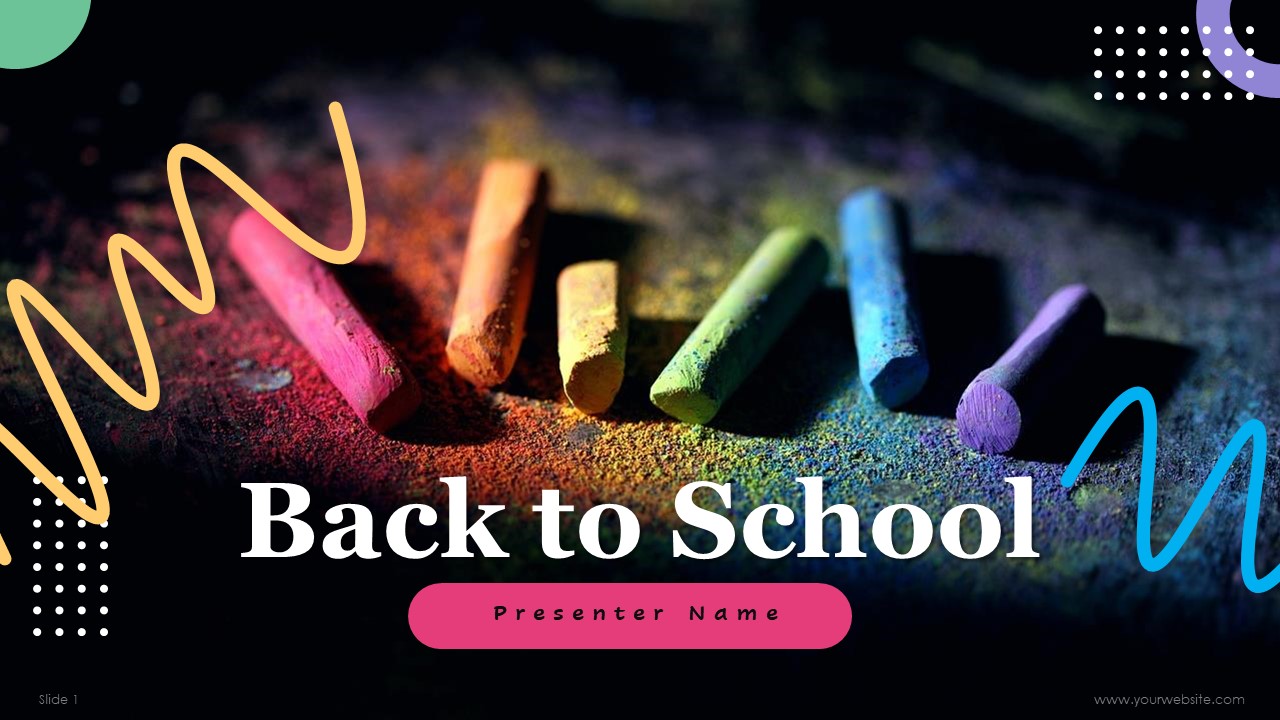
The Back to School Presentation Templates feature 19 fully editable slides in a modern multi-color scheme of black, blue, green, yellow, and pink. Highlighted by a creative chalk-style design, this free template is tailored for PowerPoint and Google Slides. Perfect for teachers, administrators, and students, it provides an engaging framework for introducing new pupils, outlining academic goals, or presenting school updates to parents and staff with ease.

The Women in Leadership PowerPoint Templates features 20 customizable slides in soft pink and violet tones, designed to highlight women’s empowerment and leadership impact. Perfect for corporate workshops, conferences, and educational seminars, it provides an organized structure to cover topics like gender equity, leadership styles, and industry challenges. Suitable for PowerPoint and Google Slides, this free presentation deck empowers educators, HR professionals, and executives to deliver inspiring, professional presentations.

The Thanksgiving Day PowerPoint Templates feature 20 fully editable slides adorned in warm autumn tones of gray and orange. Ideal for family gatherings, school events, corporate offices, or community celebrations, this free presentation deck helps you share holiday traditions, photo memories, event schedules, or thank-you speeches. Fully customizable and compatible with both PowerPoint and Google Slides, it allows educators, event planners, and hosts to easily deliver festive, polished presentations.
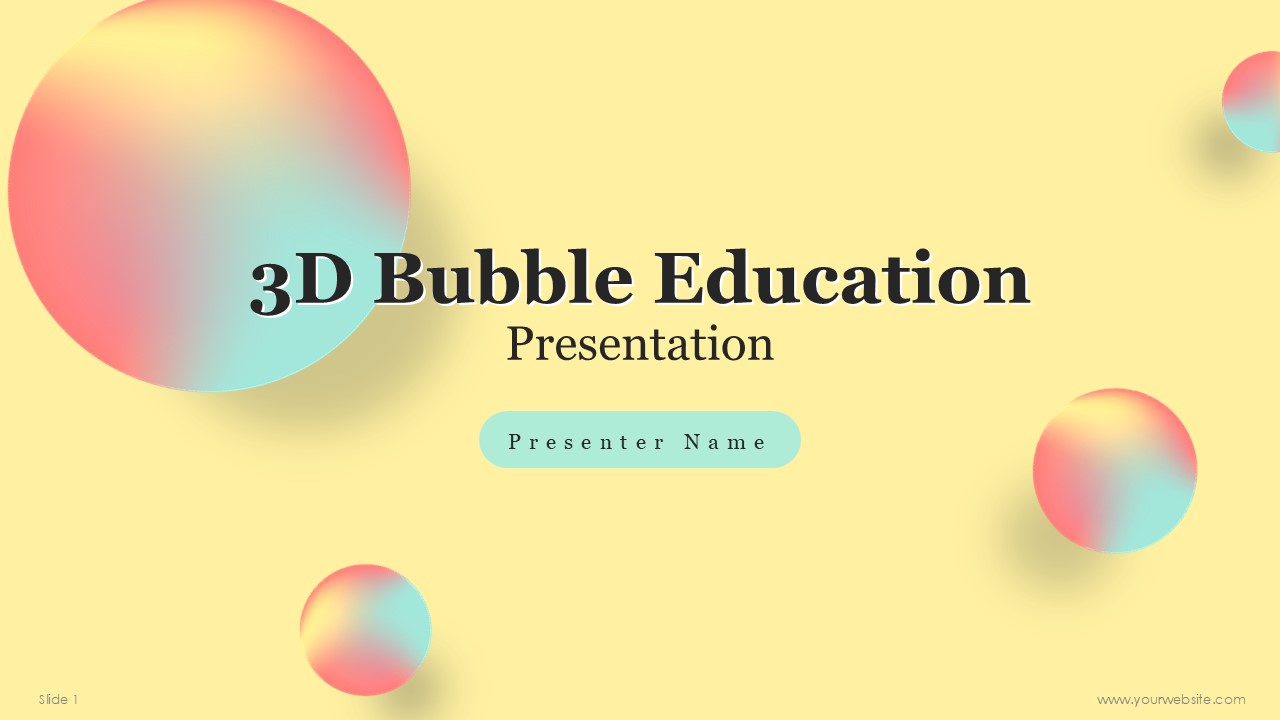
Featuring 14 vibrant, customizable slides in yellow, pink, and green, the 3D Bubble Education Presentation uses dynamic 3D infographics to make complex information engaging and easy to digest. Designed for PowerPoint and Google Slides, this free template is tailored for classroom lessons, student projects, and training workshops. Perfect for educators, students, and trainers, its lively color palette and immersive visual elements help capture audience attention and boost learning retention.
Where to Find Templates Worth Using
A good starting point is a dedicated template library rather than a generic search, since general search results mix genuinely free templates with locked previews. SlidesBrain’s education template collection is built specifically around this use case, with layouts for lesson delivery, study guides, and student project formats that work in both PowerPoint and Google Slides without needing to rebuild the structure from scratch.
For anyone who needs more than the education category alone, SlidesBrain’s free templates section covers a broader range of layouts, timelines, charts, and comparison slides, which is useful when a lesson crosses into a business, science, or history format that a pure education template does not quite cover.
How to Adapt a Template Without Breaking It?
The fastest way to ruin a good template is to overload it. A few habits keep a downloaded template looking as clean in the final version as it did in the preview.
- Enforce Single-Concept Focus: Grouping multiple complex ideas onto a single slide creates visual noise and dilutes impact. Breaking concepts across separate slides improves audience comprehension while keeping the visual layout uncluttered.
- Maintain Typographic Consistency: Arbitrarily swapping out default typography disrupts established visual hierarchies. Stick strictly to the template’s paired heading and body fonts to preserve readability and design balance.
- Stick to the Palette: Introducing uncoordinated colors for custom graphics or data visualizations clashes with the template’s color scheme. Always pull hex codes directly from the existing palette for all new visual elements.
- Match Image Aspect Ratios: Inserting images with improper dimensions stretches layout frames and distorts surrounding text boxes. Crop replacement photos to match the placeholder dimensions before placing them onto the slide.
- Prune Unused Layouts: Retaining unused slides or empty text placeholders weakens presentation flow and looks unpolished. Delete superfluous slides entirely to maintain a seamless, professional final deck structure.
PowerPoint vs. Google Slides: Does the Format Matter?
Beyond formatting stability, the choice between PowerPoint and Google Slides often comes down to your core workflow, technical requirements, and delivery environment.
PowerPoint remains the gold standard for high-stakes, offline presentations requiring advanced features. It offers superior visual capabilities, including complex custom animations, precise typographic control, advanced media editing, and sophisticated chart formatting. If your presentation relies on heavy graphics, embedded high-definition videos, or intricate data models, PowerPoint handles the processing demand with far greater stability. Furthermore, presenting in venues with unreliable internet access makes a desktop-based PowerPoint file the safest, most dependable choice.
Conversely, Google Slides excels in real-time collaboration and cloud convenience. For teams co-authoring deck content, its seamless multi-user editing, instant version history, and cloud-native auto-saving eliminate the file-version chaos common with desktop software. Sharing a presentation requires sending a single URL rather than uploading large attachments, ensuring every viewer immediately accesses the latest updates.
Ultimately, neither platform is inherently superior; the decision hinges on your specific priorities. Choose Google Slides when team collaboration, cloud accessibility, and seamless sharing take priority. Opt for PowerPoint when sophisticated design polish, advanced data visualization, and offline reliability are non-negotiable for your final delivery.
The Bottom Line
A good education template should disappear into the background of a good lesson, not compete with it. The strongest options are simple, legible from a distance, flexible enough to handle a full unit, and built natively for whichever tool the classroom actually uses. Spending ten minutes picking the right template usually saves an hour of last-minute slide building later, and it tends to produce a far more polished result than starting from a blank deck.
Frequently Asked Questions
Are free PowerPoint templates for education actually free to use in class?
Most reputable template libraries allow free use for teaching and student projects, sometimes with a credit requirement for commercial use. It is worth checking the specific license terms on the template’s page before using it for anything beyond a classroom setting.
What is the best template type for a full class lecture?
A lesson plan or lecture template with a built-in agenda slide, clear section breaks, and simple text-heavy layouts tends to work best, since the goal is holding attention on the content rather than the design.
Can the same template work for both PowerPoint and Google Slides?
Yes, if it was built natively for both formats rather than converted from one to the other. SlidesBrain’s education templates are designed to work across both without the layout shifting.
What should a science project template include?
At minimum, dedicated slides for hypothesis, method, data or results, and conclusion, along with a chart placeholder that can hold a graph or data table without needing to be rebuilt from scratch.

