Business leaders, founders, and managers rely on presentation templates to reduce preparation time, maintain brand consistency, and clearly communicate critical business narratives.
Top 10 Business Presentation Templates & Practical Use Cases
Overview: This slide deck is crafted around the guidelines required for a venture pitch while incorporating the necessary anatomy of a venture slide deck.
Key Features:
Problem-solution framing, TAM/SAM/SOM market segmentation, projected finances, and competitor matrices.
Real-World Example: A D2C or tech startup illustrating user acquisition costs (CAC), projected burn rate, and 3-year projected ARR during a Series A investor pitch.
Overview: Extensible, Editable, and Easy-to-Use templates designed to streamline user operations, assist in rationalizing monetization activities and optimization, and implement business penetration strategies.
Key Features: Gantt charts, OKRs, org charts, and process maps.
Real-World Example: Commercial automotive dealer’s credit line expansion application or proposed 5-year operational forecast to the bank loan officer.
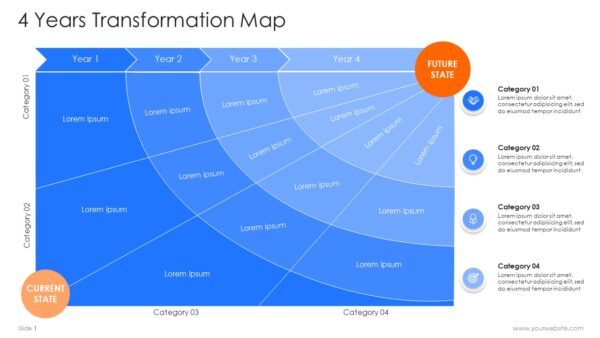
Overview: Comprehensive plans designed to implement multi-phase transformation projects, digitization and optimization of business operations, and market penetration strategies over 13 to 48 months.
Key Features: Phase-based execution Gantt charts, OKRs, dependent workflow maps, and risk management strategies.
Real-World Example: A commercial automotive dealer’s credit line expansion application or proposed 4-year operational forecast to the bank loan officer.
Overview: Multi-slide template designed to summarize an organization’s mission and services, key performance metrics and clientele.
Key Features: Stats cards, timeline, client logos, services diagrams.
Real-World Example: A Chief Digital Officer (CDO) walking the executive board through a 4-year cloud migration and enterprise software rollout schedule.
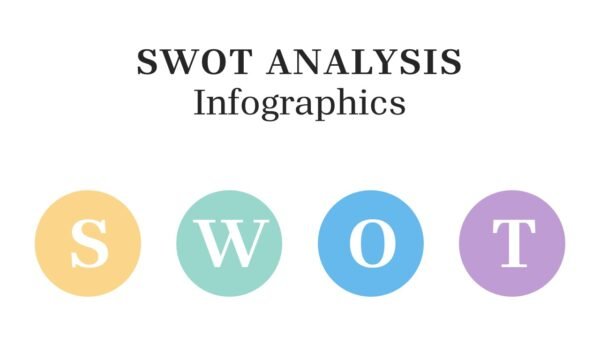
Overview: A 2×2 analytical model designed to assist with the identification of the following: Internal Strengths and Weaknesses; External Opportunities and Threats.
Key Features: High-contrast graphic grids, color-coded diagnostic zones, data-linked charts, comparative layouts.
Real-World Use Case: A strategy consultant conducting an executive workshop to evaluate brand positioning before operating in a new geographic location.
Overview: Consistent with the demands of today’s tech focused, user oriented, design built for presenting complex layers of modern technology of all kinds, including AI, software infrastructure, data workflows and other related areas of expertise.
Key Features: Integration of neural networks and vectors, AI integration pipelines, AI systems and workflows integrated with a tech stack and other related design features.
Real-World Use Case: A commercial software manager for a SaaS company building a new product and integrating an AI feature and automating a workflow to an internal software engineering team and clients.
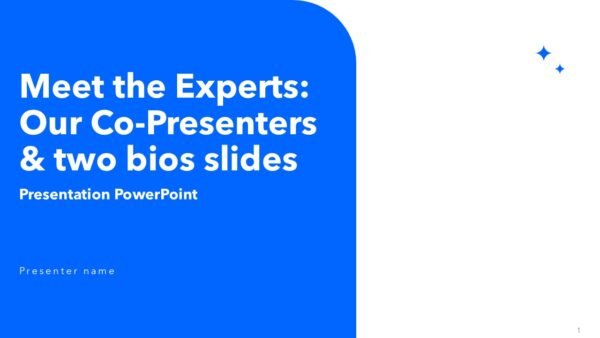
Overview: Team Profile Bio Slides to highlight member bios, leadership, consulting, executive, and speaker bio accomplishments.
Key Features: The slide deck includes Image placeholders, past project accomplishment bars, skill bars, and contact badges.
Real World Use Case: An agency submitting a pitch deck for a competitive RFP to introduce the dedicated account strategists and creative directors assigned to the project.
Overview: Team Profile Bio Slides to highlight member bios, leadership, consulting, executive, and speaker bio accomplishments.
Key Features: The slide deck includes Image placeholders, past project accomplishment bars, skill bars, and contact badges.
Real World Use Case: An agency submitting a pitch deck for a competitive RFP to introduce the dedicated account strategists and creative directors assigned to the project.
Overview: Template focused on market insights, research, and forecasts presentation.
Key Features: The deck features Demographic pie charts, design thinking exercises, future Scenario (Futures) planning charts and lines, and key takeaway callout boxes.
Real World Use Case: A supply chain manager delivering a quarterly market update on freight logistics innovations, fuel price shifts, and global trade trends.
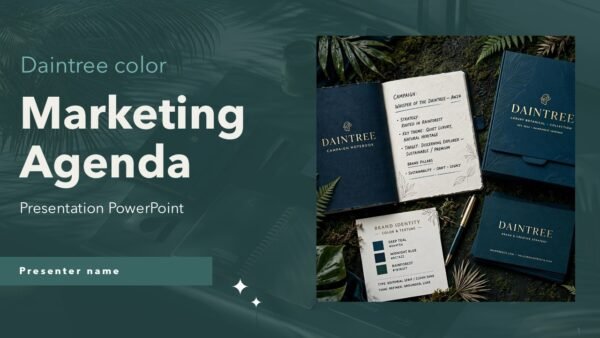
Overview: A strategy and campaign focused template to lay out strategic marketing plans, buyer funnels, content schedules, and budget allocations.
Key Features: The deck features Budget pie charts, content schedules, design thinking exercises, future Scenario (Futures) planning charts and lines, and key takeaway callout boxes.
Real World Use Case: A digital marketing director presenting Q3 growth strategies, paid ad spend distribution, and expected ROI targets to corporate leadership.
How do I choose the right presentation template for my business?
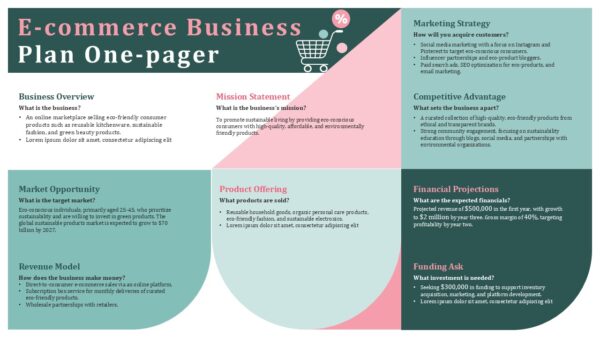
Consider your primary objective and audience. Match your audience with a fundraising deck template if you need to raise funds. A strategic alignment template is a good match for a Transformation Map or Business Plan. A quick meeting template can be good for an Executive One-Pager.
Can I customize SlidesBrain templates to match my company’s brand colors and fonts?
Yes, you can. Every template on SlidesBrain is 100% editable. To ensure that your internal corporate brand is aligned with your corporate brand guidelines, you can edit various components of the template, including data charts and other elements.
Are SlidesBrain presentation templates compatible with both Google Slides and Microsoft PowerPoint?
Yes, all SlidesBrain templates are designed for seamless integration in Microsoft PowerPoint (.pptx), Google Slides, and Apple Keynote without format break, typography issues, or layout problems.
Do I need advanced design skills to edit templates from SlidesBrain?
No, you do not have to have any advanced design skills to edit templates from SlidesBrain. You can edit data charts or other layout elements.
What if I need a completely custom presentation designed from scratch?
If you need custom design made specifically for a particular enterprise presentation or brand requirement, SlidesBrain provides custom presentation design services to make completely personalized decks for your business.